How to use it
- Type or paste text into the box, or open a .txt or .docx file.
- Pick a font and adjust the font size, letter spacing, word spacing, line height and line width until the text feels comfortable.
- Choose a background colour. Cream or a soft pastel is often easier on the eyes than bright white.
- Turn on the reading ruler to highlight one line at a time, or press Play to have the text read aloud.
- Take the result with you: copy it with formatting, download a Word file, print it or save it as a PDF.
Your settings are remembered on this device, so the text looks the same next time you visit.
The three fonts
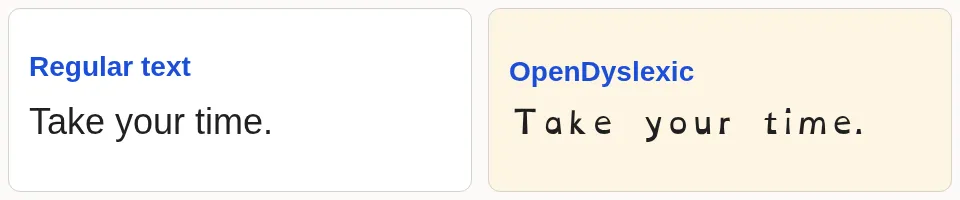
- OpenDyslexic has heavier bottoms on the letters, which some readers say helps stop letters from seeming to flip or swap.
- Lexend was designed to reduce visual stress, with wide, simple letter shapes and generous spacing.
- Atkinson Hyperlegible comes from the Braille Institute. It makes easily confused characters, such as I, l and 1, clearly different.
There is no single best font for everyone. Spacing, size and line length often matter as much as the typeface. Read more in What is a dyslexia font?
More tools: Simulator · Reading ruler · Free font downloads.
Using the text elsewhere
Step-by-step guides: Google Docs, Microsoft Word and copy and paste.
Frequently asked questions
What other tools and downloads are available?
Try the dyslexia simulator for an empathy discussion, use a reading ruler and colour overlay, or download free fonts.
Is this tool free? Do I need an account?
Yes, it is free and there is no sign-up. Open the page, paste your text and adjust it.
Is my text uploaded anywhere?
No. Your text and files are processed by your own browser. Nothing you type or open is sent to a server. Your display settings are saved only in your browser’s local storage.
Which fonts can I use?
OpenDyslexic, Lexend and Atkinson Hyperlegible. All three are free, open-source fonts released under the SIL Open Font License, and you can download them from this site.
Will the font stay when I paste into Word or Google Docs?
The formatting and font name come along, but the font itself only shows if the program can use it. In Word, install the font first. In Google Docs, Lexend and Atkinson Hyperlegible are available from “More fonts”; OpenDyslexic is not.
Is there one best dyslexia font?
Research has not found that special dyslexia fonts improve reading speed or accuracy on average. Some readers still prefer them, and larger text, extra spacing and a calm background help some people. Try different settings and keep what feels best.
Can I try bold-first text or an ADHD reading layout?
Yes. Try the bold-first reading converter or the adjustable ADHD font reader. These are display choices; try and compare what feels comfortable.
Can I open Word documents?
Yes. Use “Open .txt or .docx”, or drag a file onto the text box. The text is extracted in your browser; images and tables are skipped.
 Kettle Tools